

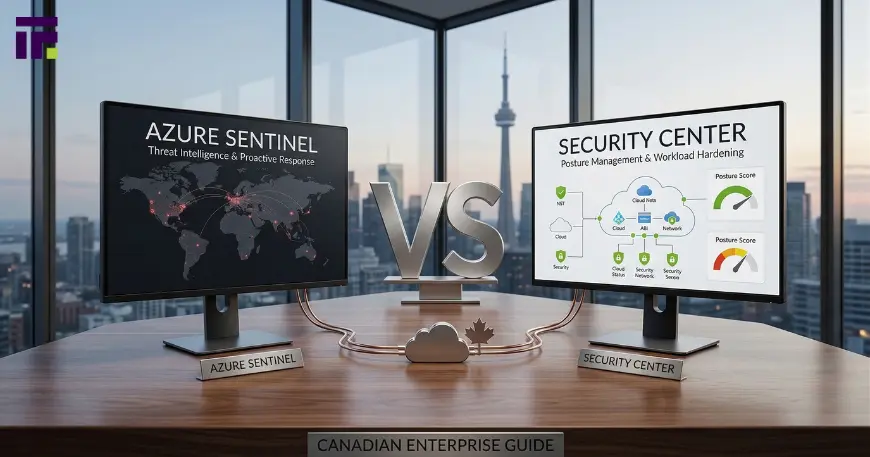
In the digital world, keeping your information safe is like protecting a giant castle. If you own a business or use the cloud to store your files, you have a lot of “rooms” and “treasures” to guard. Microsoft has two very powerful security guards to help you: Azure Sentinel and Azure Security Center.
However, many people get confused because these guards have changed their names recently, and they do different jobs. In late 2026, the biggest change is that these two guards are now moving into the same “guard shack.” Choosing between Azure Sentinel vs. Security Center is a big decision. In this guide, we will look at how they work, why they are different, and how they help you stay safe from “digital bad guys.
1. What is Azure Security Center? (The Digital Lock)
First, let’s talk about Azure Security Center. Think of this like the locks on your doors and the cameras inside your hallways. Its main job is to watch over your “house” (your cloud environment) to make sure everything is set up correctly.
The New Name: Microsoft Defender for Cloud
If you go looking for “Azure Security Center” today, you will see a different name. Microsoft rebranded it to Microsoft Defender for Cloud. Even though the name is different, it still does the same great job of protecting your servers and apps.
How it Works: CSPM and CWPP
These are big words, but they are easy to understand:
- CSPM (Cloud Security Posture Management): This is like a safety inspector. It walks around your digital house and says, “Hey, you left the window open!” It gives you a Secure Score. This is like a report card for your house’s safety, ensuring that any custom software development you deploy is built on a foundation that meets the highest security standards from day one.
- CWPP (Cloud Workload Protection Platform): This is like a bodyguard for specific items. It protects your individual computers (Virtual Machines) and databases from getting attacked.
2. What is Azure Sentinel? (The Master Detective)
Now, let’s look at Azure Sentinel. If Security Center is the lock on the door, Sentinel is the Master Detective who sits in a control room and looks at every single thing happening in the whole city.
The New Name: Microsoft Sentinel
Just like the other tool, this one got a name change too. It is now called Microsoft Sentinel.
How it Works: SIEM and SOAR
Sentinel uses very smart technology called SIEM (Security Information and Event Management) and SOAR (Security Orchestration, Automation, and Response).
- SIEM: This means Sentinel collects “clues” (logs) from everywhere—not just Microsoft, but also from Office 365, your firewalls, and even other clouds like Amazon.
- SOAR: This is like an automatic robot. If the detective sees a bad guy, the robot can automatically lock the door before the detective even says anything. This is called threat intelligence.
3. The 2026 Update: The Unified Security Operations Platform
In the past, you had to go to two different websites to use these tools. In late 2026, that has changed! Microsoft has moved most of Sentinel’s features into the Microsoft Defender portal.
Why the “Unified Portal” Matters
While Sentinel and Defender for Cloud are still different tools with different jobs, they are now part of one Unified SecOps (Security Operations) Platform. This is a huge deal because:
- One Screen to Rule Them All: You no longer have to click back and forth between tabs.
- Faster Response: When an alert pops up in Defender for Cloud, the Sentinel “detective” can see it instantly in the same window.
- Shared Intelligence: They now share the same “brain,” making it much harder for hackers to hide in the gaps between the two systems.
4. Key Differences: Azure Sentinel vs. Security Center
Even though they live in the same portal now, they still have very different styles. Based on experts from SoftwareONE and MSPCorp, here is how they differ:
The Big Picture vs. The Specific Resource
Azure Security Center (Defender for Cloud) cares about your Azure “resources.” It wants to make sure your settings are perfect.
Azure Sentinel cares about the entire kingdom. It looks at your emails, your logins, and your data from many different places all at once.
Preventing a Fire vs. Fighting a Fire
Security Center tells you how to prevent a fire. It says, “Don’t put that candle near the curtain.”
Sentinel is the smoke alarm and the fire truck. It tells you, “There is a fire happening right now, and I am sending help!”
5. Do You Need One or Both?
Most big companies use both. If you only pick one, you might miss something important.
When to use Security Center
If you are just starting and you want to make sure your Azure cloud is set up safely, Security Center (Defender for Cloud) is your best friend. It will give you a list of things to fix to make your “Secure Score” higher.
When to use Sentinel
If you have a lot of employees using many different apps (like Gmail or Zoom) and you want to make sure no one is hacking into their accounts, you need Sentinel. It is the only way to see everything in one place.
6. How They Work Together (The Dynamic Duo)
When they work together, you get End-to-End Security. Security Center finds a “weak window” and tells Sentinel about it. Then, Sentinel watches that window extra closely.
Centralizing Your Alerts
By using the Unified Portal, all your alerts are organized in one list. This makes it much easier for your security team (the SecOps team) to stay organized and stop attacks before they become a big problem.
7. Comparing the Costs
It is important to know that these tools have different ways of charging money.
- Defender for Cloud: Usually charges you based on how many “things” you are protecting (like how many servers).
- Microsoft Sentinel: Charges you based on how much “data” the detective has to read. If you have a lot of data, Sentinel can be more expensive.
8. Common Features You Should Know
Dashboards and Visuals
Both tools use beautiful charts and graphs. This is where data visualization helps! You can see a map of the world showing where attacks are coming from.
Automation
Both tools use “Playbooks.” A playbook is a set of instructions. For example: “If someone tries to log in 10 times and fails, lock the account for an hour.” This saves humans a lot of time!
Summary: Making the Choice for 2026
To make it simple, follow this rule:
- Use Azure Security Center (Defender for Cloud) to manage your “posture.” It makes sure your house is built strong.
- Use Microsoft Sentinel to investigate “threats” across your whole company.
- Use the Unified Portal to manage them both in one place for the fastest protection.
Frequently Asked Questions
What is the Azure Security Center now called?
Azure Security Center is now called Microsoft Defender for Cloud. It helps you find and fix weak spots in your cloud setup.
Is Azure Security Center the same as Microsoft Defender?
Yes, it is now part of the Microsoft Defender family. Specifically, it is the part that protects cloud resources like servers and databases.
Is Microsoft Sentinel still a separate product?
Yes, it is still its own product with its own pricing, but in 2026, you will primarily access and manage it through the Unified Microsoft Defender portal alongside your other security tools.
Why does Microsoft Sentinel cost more than Security Center?
Sentinel costs more because it has to process and store huge amounts of “log data” from many different sources. Security Center only looks at your specific Azure settings, which requires less data storage.
Can I see my “Secure Score” in the new portal?
Yes! Your Secure Score is a key part of the new unified experience. It shows you exactly how to improve your safety with simple, step-by-step instructions.
Explore More on Our Website
If you want to stay ahead of the latest security trends, our website has everything you need. We have deep dives into cloud security architecture, guides on how to improve your Secure Score, and tutorials for setting up your first Microsoft Sentinel dashboard in the new unified portal.
Read More on Our Website, Don’t leave your digital castle unguarded. Visit our resource library today to learn how to master these tools and keep your data safe!

